A Sector Darkly Tools Hub
System requirements, control concepts, and practical references for the November 25, 2026 Steam launch.
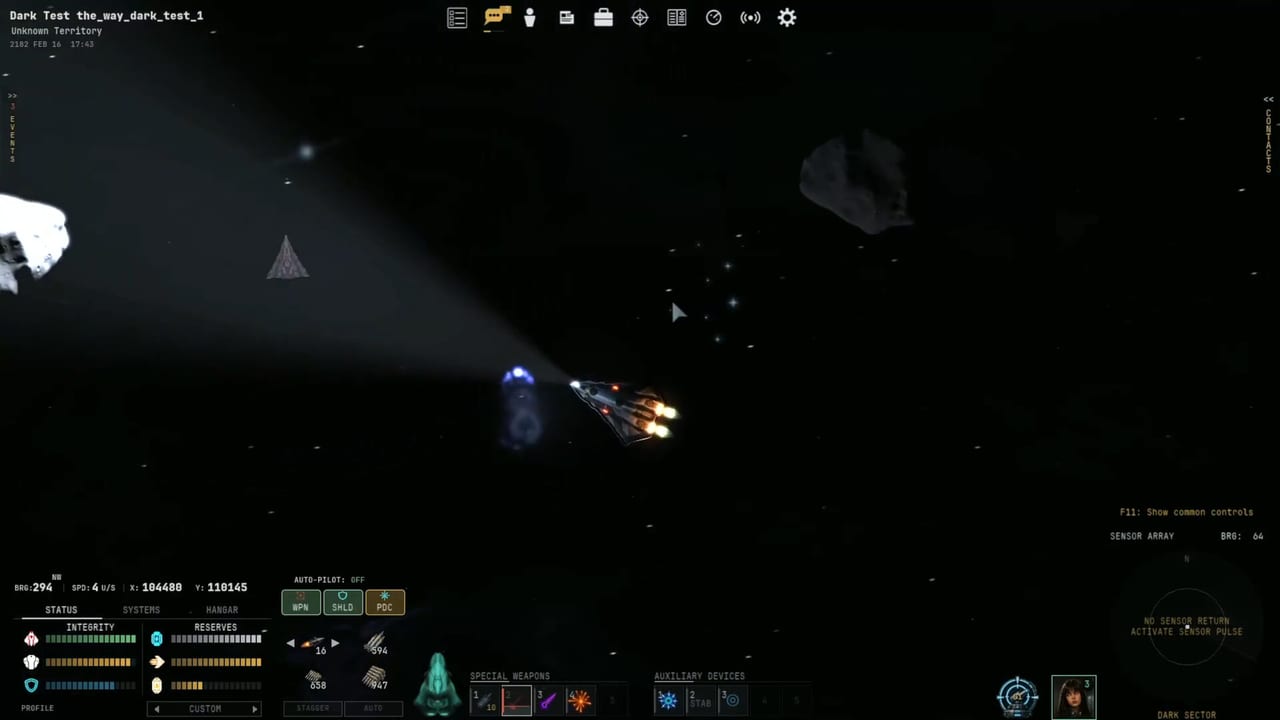
This Tools hub collects reference pages that players open before and during a session of A Sector Darkly. Unlike story or build guides, these pages answer hardware and interface questions: Can my PC run the game? How do weapon groups, starmap filters, drones, and engineering panels fit together? Bookmark this hub alongside the Guides hub and the Ship Classes Hub so you can jump between planning and play without hunting the header.
A Sector Darkly is a single-player, 2D real-time (pausable) space exploration sandbox RPG from A Paradise Lost Studios, releasing on Windows via Steam on November 25, 2026. English is the in-game interface language. The wiki itself is available in English, French, German, and Spanish. Use the pages below to prepare your machine and your muscle memory before you undock into a sector that is going dark.
What lives under Tools
System requirements
Full minimum and recommended PC tables for Windows 10/11 64-bit, CPU, RAM, GPU, DirectX, and storage guidance. Includes launch-day readiness tips: SSD placement, driver hygiene, verification of game files, and how to interpret Steam’s two-hour refund window after release. Read this first if you are wishlisting on older hardware or planning a hardware bump before November.
Controls
Concept-level coverage of the real-time pausable top-down interface: weapon groups (default middle mouse), engineering fitting commit/revert, starmap filters, strategic operations intel, drone management, and runabout detachment. Exact keybinds can change between beta and launch — this page teaches systems so you can rebind confidently instead of memorizing a fragile list.
How to use these pages with the rest of the wiki
- Confirm your PC against system requirements, then wishlist via the links collected on official links.
- Skim controls once so pause, groups, and panels are not surprises during the tutorial.
- Follow Getting Started for the first-hour loop, then deepen with combat and exploration.
- When you are ready to specialize a hull, open ship builds and the Ship Classes Hub.
- Watch updates for diary notes that change UI assumptions after Next Fest and into post-launch patches.
Why a dedicated Tools section exists
Space RPGs bury critical information across store pages, Discord pins, and patch notes. Hardware players need a stable home for tables; interface learners need a home for systems that are not “press W to thrust” alone. Keeping requirements and controls beside each other also mirrors how captains actually prepare: check the machine, then check the cockpit.
These pages intentionally stay free of build meta and faction spoilers. When a diary changes a default bind or raises a GPU note, we update the child page and call it out from updates. If you are translating or mirroring this wiki, keep Tools locale-agnostic in source paths (/tools/.../) so generate can localize correctly.
Quick links
- System requirements — min/rec tables and readiness
- Controls — weapon groups, starmap, drones, runabout, engineering
- Guides hub — walkthroughs and mechanic deep dives
- Ship Classes Hub — hull roles
- Updates hub — release and diary tracker
- Official links — Steam, Discord, YouTube, IndieDB
Prepare the machine, learn the cockpit, then survive the dark.
Frequently Asked Questions
Quick answers to the most common questions.
What pages are under Tools?
Currently system requirements and controls. More reference utilities can be added after launch if players need calculators or checklists.
Are control keybinds final?
Not necessarily. Pre-launch builds already iterate on toggles such as battle stations. Learn the systems on the controls page, then confirm binds in the live options menu.
Where do I find ship fitting advice?
Fitting lives under ship builds, not Tools. Use Tools for hardware and interface reference.