A Sector Darkly Launch Prep Checklist
Wishlist, hardware, Discord, controls, hull choice, and logistics mindset before November 25, 2026.
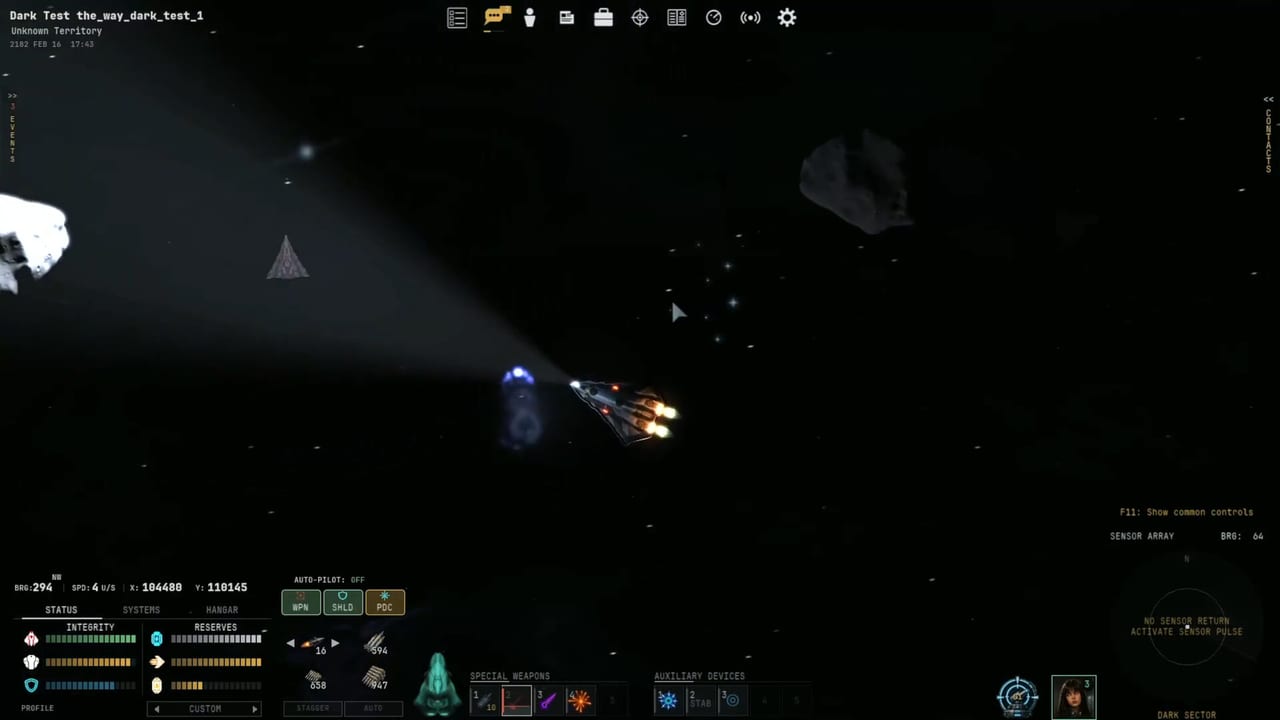
A Sector Darkly launches on November 25, 2026 for Windows on Steam (app 4941160). This checklist turns the last stretch before day one into concrete actions: wishlist and follow the store page, verify your PC, join Discord, relearn controls, pick a hull mindset, practice a logistics-first loop, and know what the developer said about Steam’s two-hour refund window. Use it beside the Updates Hub timeline and the Guides Hub curriculum. Facts here follow public Steam and developer materials; treat UI labels as subject to polish until the live client lands.
1. Wishlist, follow, and set reminders
Open the Steam store entry from official links, wishlist the game, and follow the page so launch visibility, pricing, and early patch notes surface in your client. Add a calendar reminder for November 25 so download day is not a surprise. If you care about community chatter, join the Discord invite listed on the same links page — patch talk and clarifications often appear there before wiki pages update.
2. Check your PC against system requirements
A Sector Darkly is a 2D real-time pausable space RPG built in GameMaker Studio 2, but living galaxy sims still punish underpowered machines when traffic, drones, and combat stack. Compare your hardware to System Requirements now, not after the installer finishes. Free disk space for the client, verify GPU drivers, and decide whether you will play windowed or fullscreen before the first tutorial prompt. If your laptop thermals throttle under long sessions, plan shorter survey legs until you know how the full sector sim behaves on your machine.
3. Relearn controls — demo muscle memory is provisional
The Next Fest demo ended so the team could focus on the beta-to-release build. Arming chords, reload conveniences, radial menus, and tutorials kept moving after that window. Do not assume demo binds forever. On launch day, open Options → Keybinds and confirm:
- Weapon group cycling (public materials default to middle mouse)
- Shield raise / weapon arm shortcuts mentioned in post-demo notes
- Map, pause, and drone-related binds you will use every hour
- Any remaps you prefer for thrust vectors and camera
Keep Controls open in a second monitor or phone tab while you fly the first training skirmish. Pause is a first-class tool — use it when the board state densifies instead of panicking through reactor drain.
4. Pick a hull mindset, not a “best ship”
Public diaries frame Corvette, Assault Frigate, Destroyer, Heavy Cruiser, and Battlecruiser as side-grades. Choose the job you want for the first evening:
- Corvette — scout, flank, and respect small holds.
- Assault Frigate — multi-role expeditions with MAC / coil-gun punch.
- Destroyer — combat pressure with ballistic and missile planning.
- Heavy Cruiser — durability and deployable ablative armor timing.
- Battlecruiser — broadsides and positron beam; plan facing early.
Skim the Tier List Hub and Ship Builds so your first Research Point spend matches that job. If you expect U’Guul contact, prioritize armor and point defense over pure beam fantasy — their missiles and torpedoes penetrate shields.
5. Adopt a logistics mindset before the first fight
A Sector Darkly punishes captains who treat cargo as an afterthought. Before you chase a dark-sector rumor:
- Stock food and water for the crew.
- Top point-defense, ballistic, and missile magazines; keep cargo reserves for auto-reload.
- Carry spare parts for systems damage even if you own a hull repair device.
- Know which Large or Small Space Ports sit on your exit path for repair ships and full docks — refineries and industrial stations will not babysit you.
- Plan drone work: mining and salvage for income, repair drones for recovery after disables.
Pair that checklist with Getting Started and the Survival Walkthrough so early hours reinforce sustain instead of only DPS. Support craft depth lives on Drones and Runabout.
6. What demo players should deliberately relearn
If you spent hours in the Next Fest build, schedule a short “unlearn” session on day one:
- Rebind and practice weapon groups from a cold start.
- Rehearse magazine reload-all and mid-fight missile swaps (a few seconds to change variants from cargo).
- Practice armor facing and the publicly cited ~60% armor leak threshold so hull and subsystems do not surprise you.
- Walk a disable recovery drill: repair drones, call a port repair ship when lanes are clear, or runabout for spare parts if the mothership is down.
- Open the strategic operations panel and starmap filters before you leave the starter volume — distress, pirates, patrols, stations, and asteroid belts are planning tools, not wallpaper.
Combat systems are summarized in Combat; exploration tools in Exploration. Watch the video embedded on this page for tone, then return to text checklists when you need actions.
7. The first two-hour refund window
Steam’s standard refund policy includes a roughly two-hour playtime window under the usual conditions. The developer has publicly noted that this window gives players time to decide whether to continue. Use those early minutes intentionally: confirm performance on your PC, sample the one-ship fantasy, try pause-friendly combat, and decide whether the logistics loop clicks for you. Do not spend the entire window AFK in menus — fly a short survey, dock once, and take one controlled skirmish so your decision is informed.
This wiki does not replace Steam’s refund rules. Read Valve’s current policy on the store if you are unsure about eligibility.
8. Day-zero reading order
- This checklist — finish the actions above.
- Getting Started — mental model for the first hour.
- Survival Walkthrough — sustain loop under pressure.
- Combat — reactor, magazines, armor, shields, disable recovery.
- Drones and Runabout — support craft that keep you earning while moving.
- Tier List Hub — hull role confirmation.
- Updates Hub — diary timeline and post-release priorities (crashes, bugs, QoL, balance first).
Bookmark Links for Steam, Discord, and official channels. When patches land, return to Updates before you rewrite your personal bind sheet.
Launch-week pitfalls to avoid
Do not skip the wishlist follow if you want launch visibility. Do not ignore magazines while staring at shield bubbles. Do not sit on a U’Guul dreadnought’s nose — clear escorts and respect penetrating missiles. Do not park the mothership on a hostile trade lane while joyriding the runabout. Do not assume every station will send a repair ship; Large and Small Space Ports matter. Do not invent “best in slot” dogma before you understand side-grade hulls.
Finish this checklist, keep the Updates Hub bookmarked, and treat November 25, 2026 as the start of a living balance conversation — not the end of reading.
Frequently Asked Questions
Quick answers to the most common questions.
When does A Sector Darkly launch?
November 25, 2026 on Windows via Steam (app 4941160). Confirm on the store page if the schedule shifts.
What should I do before launch day?
Wishlist and follow on Steam, join Discord from the links page, verify system requirements, review controls, pick a hull mindset, and stock a logistics plan for magazines and crew supplies.
Should demo players relearn anything?
Yes. The demo ended so the beta could diverge — recheck binds, reload flows, tutorials, and balance instead of trusting demo muscle memory.
What did the developer say about the two-hour window?
Steam’s standard roughly two-hour refund window still applies; the developer noted it gives players time to decide whether to continue. Always read Steam’s current refund policy for eligibility.
Which wiki pages should I open next?
Getting Started, Survival Walkthrough, Combat, Drones and Runabout, the Tier List Hub, Controls, System Requirements, and the Updates Hub.
Why prioritize armor and point defense?
U'Guul missiles and torpedoes penetrate shields. Bubble discipline alone is not enough against that doctrine.