A Sector Darkly System Requirements
Minimum and recommended PC specs for A Sector Darkly on Windows Steam, plus launch readiness tips.
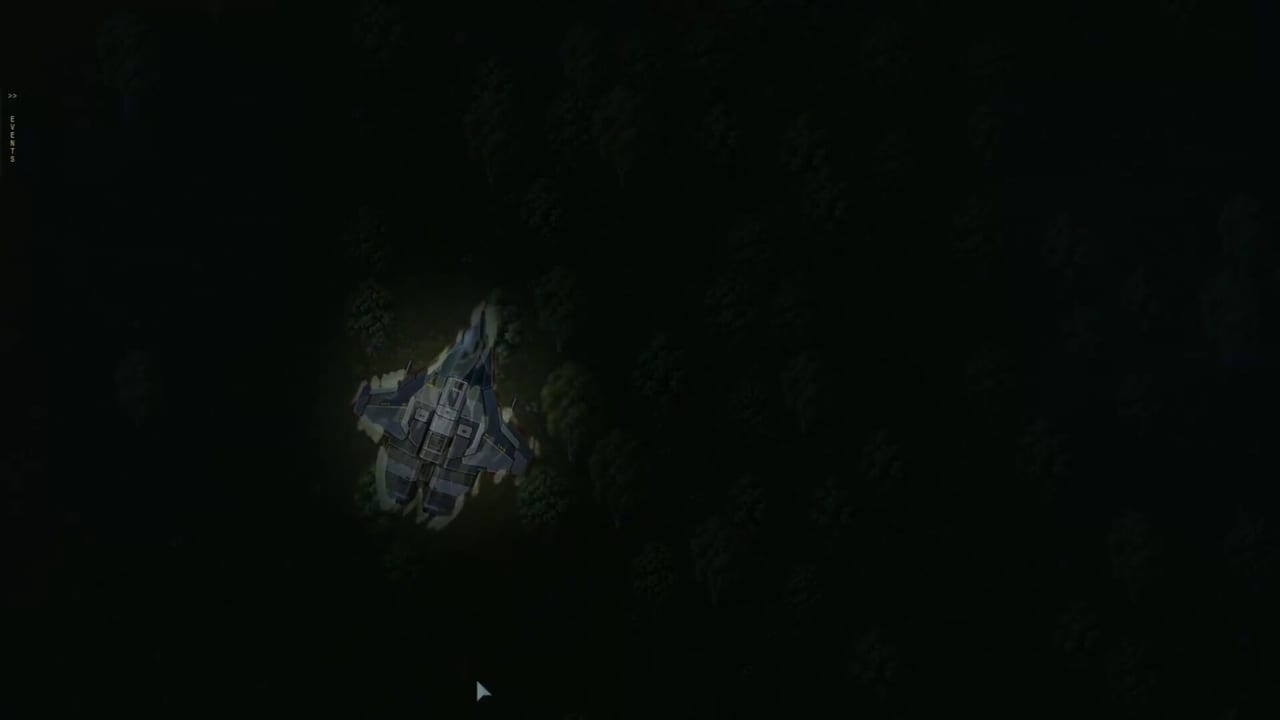
A Sector Darkly launches on Windows via Steam on November 25, 2026 as a single-player 2D real-time space exploration RPG from A Paradise Lost Studios. Before you plan an all-night expedition into darkening sectors, confirm that your machine meets the published Steam specifications and that your install path is ready for a smooth first boot. This page mirrors the minimum and recommended tables, explains what each line means in practice, and lists launch-day checks that prevent avoidable crashes, stutter, or long verify times.
Pair this reference with the Tools hub, the controls overview, and Getting Started once the client is installed. Wishlist and store links live on the official links page.
Minimum system requirements
| Component | Minimum |
|---|---|
| OS | Windows 10 / 11 64-bit |
| Processor | AMD Ryzen 3 3300X or equivalent |
| Memory | 16 GB RAM |
| Graphics | NVIDIA GeForce GTX 1060 |
| DirectX | Version 11 |
| Storage | 1 GB available space |
| Notes | SSD recommended |
The minimum bar targets playable performance for the top-down simulation, UI panels, and real-time combat with pause available. Sixteen gigabytes of system RAM is not optional marketing padding — the galaxy simulation, traffic, and panel-heavy interface expect headroom beyond older 8 GB machines. A GTX 1060-class GPU should handle the 2D presentation, but integrated graphics below that class are outside the supported envelope.
One gigabyte of storage is the install footprint guidance; leave extra free space for Steam downloads, shader caches, and save data. An SSD is recommended even at minimum because starmap travel, streaming assets, and mid-session loads feel worse on a spinning disk when the sector simulation is busy.
Recommended system requirements
| Component | Recommended |
|---|---|
| OS | Windows 10 / 11 |
| Processor | AMD Ryzen 5 5600X or better |
| Memory | 16 GB RAM |
| Graphics | NVIDIA GeForce GTX 1660 or better |
| Storage | 2 GB available space |
| Notes | SSD strongly preferred |
Recommended specs keep frame time steadier when multiple panels, combat effects, drones, and dense traffic overlap. The jump from a 3300X-class CPU to a 5600X-class chip matters when the simulation and UI thread work together during busy systems. Storage guidance rises to 2 GB to cover a fuller install plus working space; still plan additional free room on the same volume.
RAM stays at 16 GB on both tiers — if you routinely run browsers, Discord, and recording software beside the game, consider more system memory so the client is not fighting background tabs.
What “equivalent” CPU means
Steam lists AMD reference chips. Equivalent Intel or newer AMD parts should match or beat the listed cores and single-thread performance of a Ryzen 3 3300X (minimum) or Ryzen 5 5600X (recommended). If your CPU is several generations older but meets the GHz and core count on paper, expect longer hitching when the strategic operations feed and local traffic spike. Laptop CPUs with the same marketing name as desktop chips are often weaker; compare against desktop baselines when possible.
GPU and DirectX 11 notes
DirectX 11 is the API target. Keep GPU drivers current from NVIDIA, AMD, or Intel’s clean packages rather than only Windows Update leftovers. A GTX 1060 meets minimum; a GTX 1660 or better is the comfort tier. If you own a newer card, you are fine — just avoid forcing exotic overlay stacks until you confirm stability after launch.
Because the game is 2D, raw 4K raster power matters less than consistent frame pacing and UI responsiveness. Cap framerate if your GPU runs hot in menu-heavy scenes, and disable unused overlays (multiple Discord + GeForce + Steam layers) when diagnosing hitching.
Storage and SSD guidance
Install A Sector Darkly on an SSD whenever you can. The absolute space numbers (1 GB min / 2 GB rec) are small compared with AAA titles, but seek times still affect how quickly you enter systems, open the starmap, and reload after a crash. Do not fill the target drive to the brim; leave tens of gigabytes free for Windows and Steam.
If you must use an HDD temporarily, keep pause-friendly habits from the controls page so hitching mid-combat is less punishing, and move the install to SSD when possible.
Launch-day readiness checklist
- Wishlist and schedule — Add the game from the Steam store link collected on official links so pre-load (if offered) and launch discounts are visible.
- Verify OS — Confirm Windows 10 or 11 64-bit with current cumulative updates.
- Drivers — Clean-install GPU drivers a day before launch; reboot once.
- Disk plan — Choose the SSD library folder in Steam → Settings → Storage before the download starts.
- Background load — Close heavy downloads, VMs, and RGB suites that spike CPU.
- First boot — Run the tutorial, then open options to set panel transparency, keybinds, and display mode before a long ironman-style attempt.
- File verify — If the first boot fails, use Steam’s verify integrity tool before reinstalling.
- Refund awareness — Steam’s two-hour playtime window still applies; the developer has noted that window gives players time to decide after release.
Laptops and handhelds
Official targets are Windows desktop-class hardware. Gaming laptops that meet the CPU/GPU tiers can work if cooling is adequate and the discrete GPU is actually active (watch for hybrid switching). Windows handhelds may run the title if they clear the minimum GPU/CPU bar, but they are not a listed platform — expect to tweak TDP, confirm DX11 support, and use pause liberally.
After you can run it
Hardware only gets you into the cockpit. Next:
- Learn interface systems on controls
- Follow Getting Started for the opening loop
- Pick a hull role on the Ship Classes Hub and fit it via ship builds
- Track diary and patch changes on updates
Meeting recommended specs will not teach energy management or cargo discipline — but failing minimum specs will make every lesson harder than it needs to be.
Related pages
- Tools hub — reference index
- Controls — cockpit systems
- Guides hub — gameplay tutorials
- Official links — Steam and community
- Updates — release timeline
Confirm the table, prep the SSD, update drivers, then undock with confidence on November 25, 2026.
Frequently Asked Questions
Quick answers to the most common questions.
Can I run A Sector Darkly on 8 GB of RAM?
Official minimum and recommended both list 16 GB RAM. Plan an upgrade before launch if you are still on 8 GB.
Is an SSD required?
SSD is recommended at minimum and strongly preferred at recommended. The game can install in a small footprint, but load hitching is worse on HDDs.
What GPU do I need?
Minimum is GeForce GTX 1060 class with DirectX 11. Recommended is GTX 1660 or better.
Where do I go after my PC is ready?
Read controls and Getting Started, then wishlist via official links.